
So I stumbled across this post on Reddit from a week ago that asked how to select every n-th face in Maya. There is a way to select every other n-th edge but faces seemed more complicated and it got me thinking in some possibilities.
This is the code I came up with after thinking about it:
from maya import cmds

sel = cmds.ls(orderedSelection=True)
faces_list = cmds.ls(cmds.polyListComponentConversion(sel, toFace=True), flatten=True)
if cmds.objectType(sel[0]) == "transform":
    found_faces_dict = {}
else:
    found_faces_dict = {sel[0]:cmds.ls(cmds.polyListComponentConversion(sel[0], toEdge=True), flatten=True)}

for face in faces_list:
    connected_edges_list = cmds.ls(cmds.polyListComponentConversion(face, toEdge=True), flatten=True)
    if not len(found_faces_dict):
        found_faces_dict[face] = connected_edges_list
        continue
    else:
        match_count = 0
        for found_face in found_faces_dict:
            found_edge_list = found_faces_dict[found_face]
            for fedge in found_edge_list:
                if fedge in connected_edges_list:
                    match_count += 1
        if not match_count:
            found_faces_dict[face] = connected_edges_list

cmds.select(clear=True)
for face in faces_list:
    if face in found_faces_dict:
        cmds.select(face, add=True)
My solution is based on the rule that for a face to be selected it can’t share any immediate edges with previously selected faces. Seems to work well in random shapes I tested!
I used orderedSelection so the first face you select is always included and you have some control over the result. If the whole object is selected then it starts by selecting f[0].
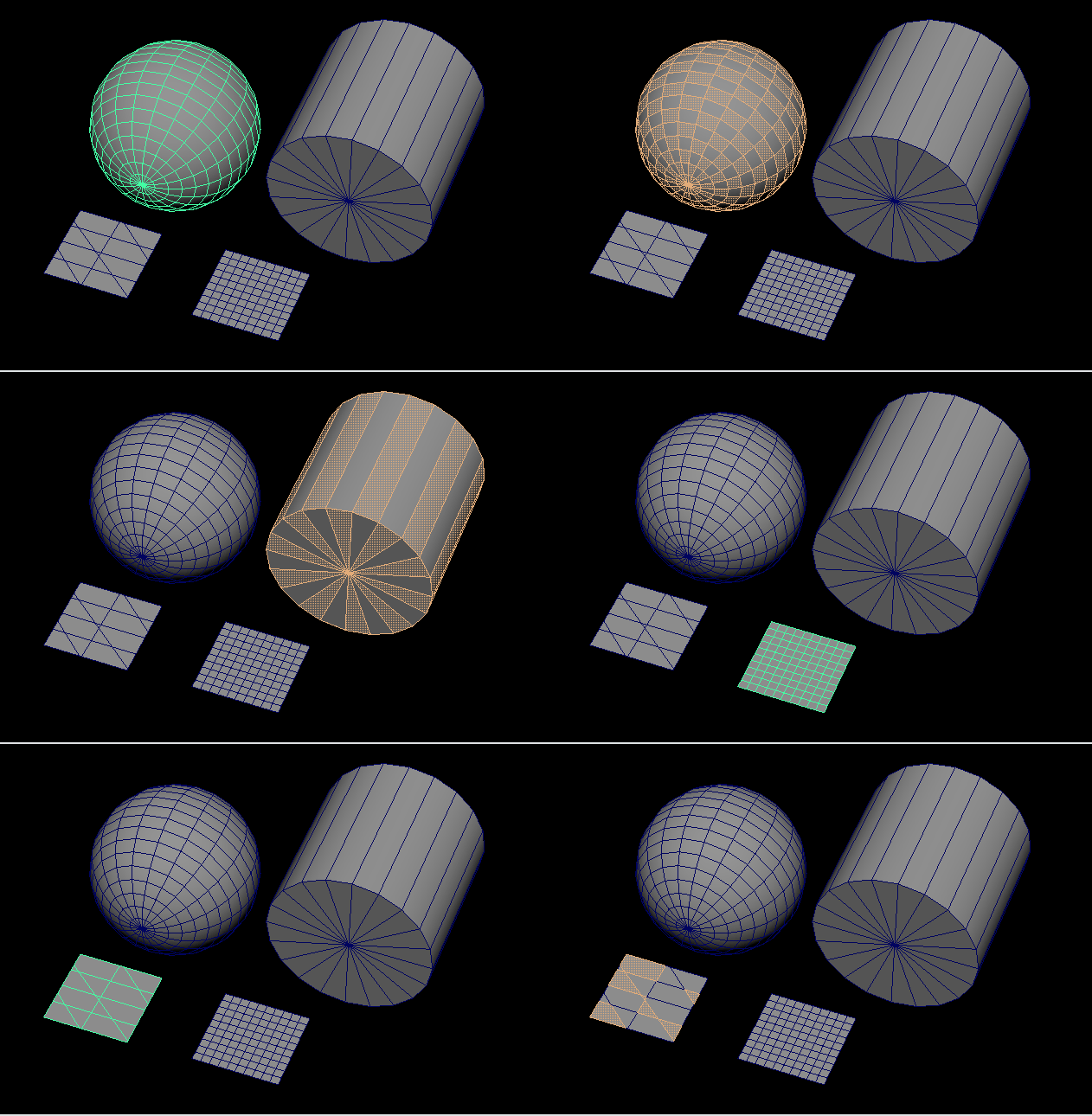
This selects every other face but to select every 2nd or 3rd face in an edge loop or selection of faces I thought I could traverse the topology to find connected faces and skip N like this:
from maya import cmds

every_other = 5 # replace for number of faces to skip

sel = cmds.ls(orderedSelection=True)
faces_list = cmds.ls(cmds.polyListComponentConversion(sel, toFace=True), flatten=True)
faces_list.remove(sel[0])

cmds.select(sel[0])
every_other_count = 0

current_face = sel[0]
count = 0
while len(faces_list) and count < 1000:
    connected_edges_list = cmds.ls(cmds.polyListComponentConversion(current_face, toEdge=True), flatten=True)
    found_face = False
    for edge in connected_edges_list:
        connected_faces = cmds.ls(cmds.polyListComponentConversion(edge, toFace=True), flatten=True)
        for face in connected_faces:
            if face in faces_list:
                faces_list.remove(face)
                current_face = face
                if every_other_count == every_other:
                    every_other_count = 0
                    cmds.select(face, add=True)
                else:
                    every_other_count += 1
                found_face = True
                break
        if found_face:
            found_face = False
            break
    count += 1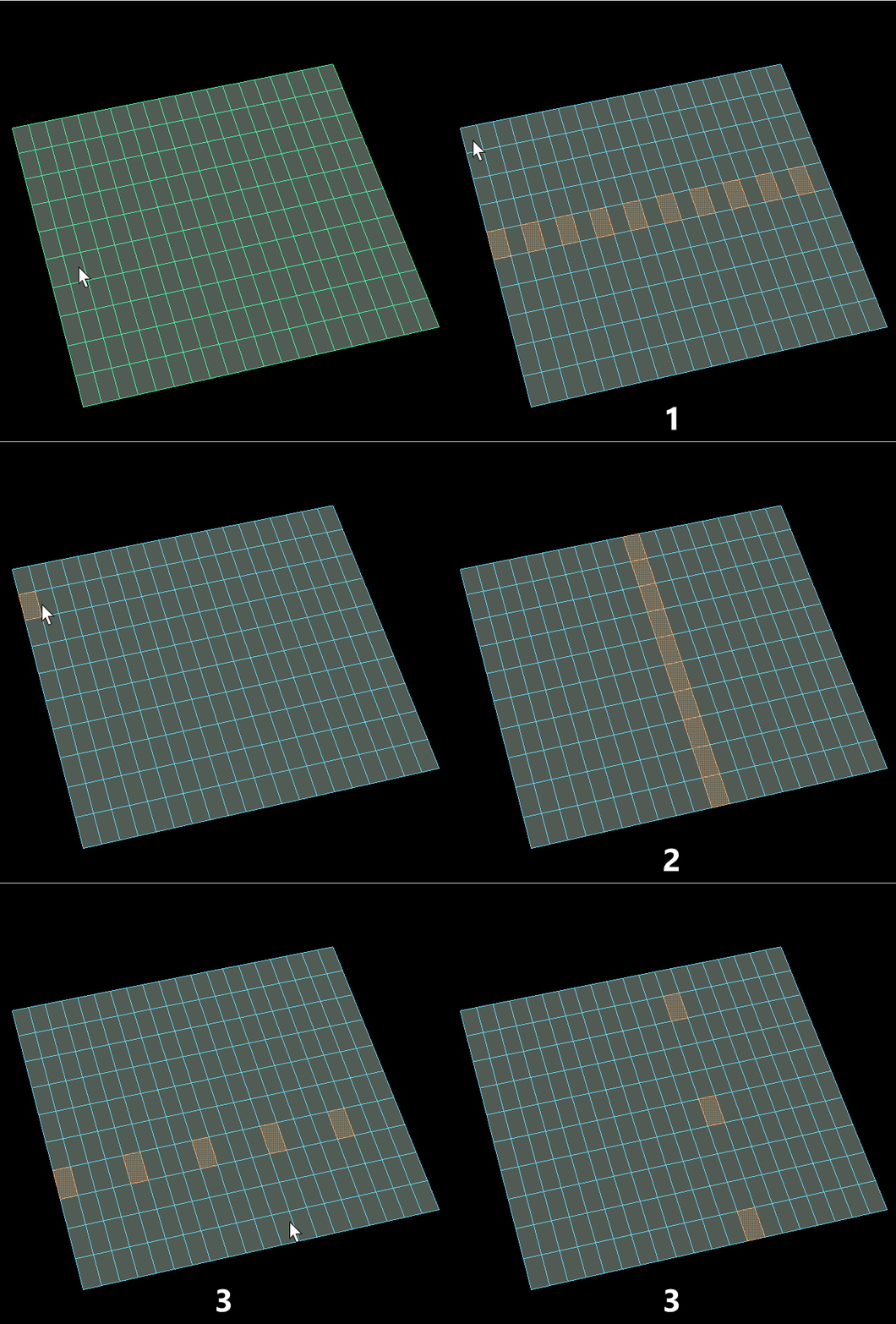
Works as expected when you have a selection that doesn’t loop like in the example above.
On cylinders that do a round loop sometimes the traversal goes to the opposite direction.
In random selections that have unconnected faces the while loop just never exits so I added a count variable for not hanging Maya forever.
Fun study! Learning a couple things.
 RIJAH'S BLOG